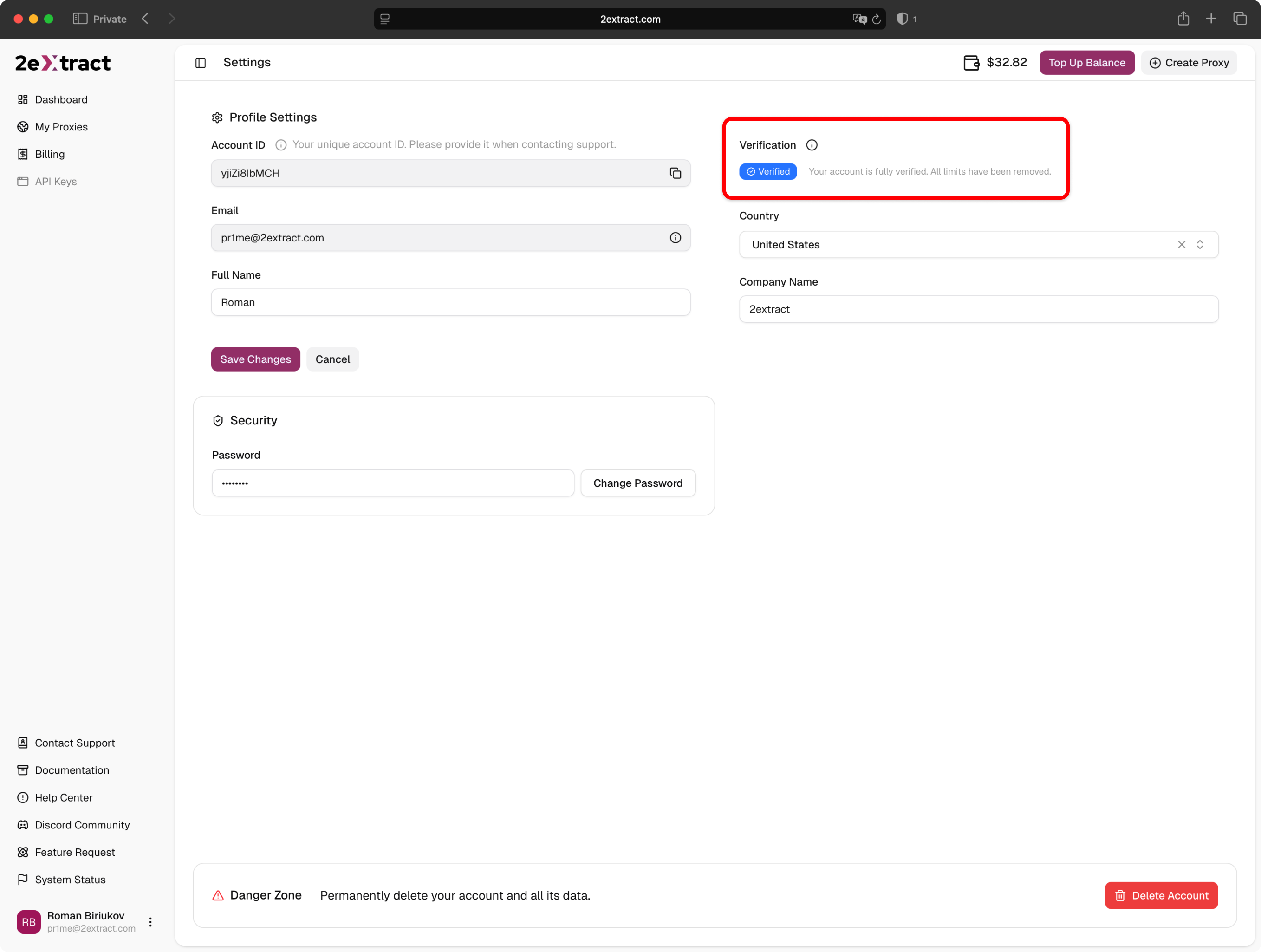
How to verify your account to unlock higher deposit limits.
To ensure the security of our platform and comply with financial regulations, 2extract requires users to complete a Know Your Customer (KYC) verification process to access full billing features.
Deposit Limit: Unverified accounts have a cumulative lifetime deposit limit of $50. To deposit more funds, you must complete identity verification.
We implement identity verification to prevent fraud, ensure compliance with international laws, and maintain a high-quality network for all our users.Once you are verified, you will unlock:
Unlimited deposits: Remove the $50 cap on your balance top-ups.
Trust status: Reduced risk of automated security flags on your account.
We value your privacy and data security. That is why we do not store your personal identity documents on our servers.We partner with Didit, a specialized and GDPR-compliant identity verification provider. Didit handles the secure processing and validation of your documents. 2extract only receives the confirmation status (Verified/Rejected).
The verification process is fast and usually takes less than 5 minutes. You will need a valid government-issued ID (Passport, Driver’s License, or National ID Card).
1
Start Verification
You don’t have to wait until you hit the deposit limit. You can verify your account voluntarily at any time:
The Didit interface will open directly in the same window. To ensure the best image quality, the process is designed to be completed on a mobile device.Scan the QR code displayed on your screen using your smartphone’s camera and follow the instructions on your phone.
3
Capture Documents & Selfie
On your mobile device, you will be asked to:
Take a photo of your government-issued ID (Passport, Driver’s License, etc.).
Take a selfie to prove that you are the owner of the document.
4
Automatic Approval
The system will automatically validate the authenticity of your documents and verify your identity.Upon success, your account status will instantly change to Verified, and all deposit restrictions will be removed. You will see a confirmation in your profile.